Sun & Moon
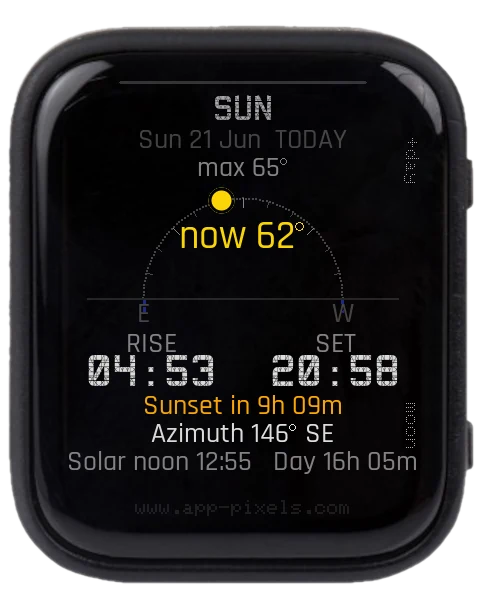
1 / 5
Sunrise/sunset times and a full-moon countdown for your location — all computed on the device (NOAA solar equations + synodic moon phase). WiFi is used only once at boot, to set the clock via NTP.
Screens
- SUN — a horizon dome with the sun's live position and elevation, degree ticks and E/W markers, sunrise/sunset times, daylight length, solar noon, and a live countdown to the next sunrise/sunset.
- MOON — the current phase rendered geometrically, days until the next full moon, phase name, illumination, and the next new-moon date.
Controls
- PWR — switch between the Sun and Moon screens
- BOOT — preview a future day (today → +1 … +6 → back to today)
USB mode is built in
Plug the device into a computer over USB-C and the SD card mounts as a normal drive — edit setup.txt right there, then unplug. No need to flash the USB Stick app first.
setup.txt keys
LATITUDE,LONGITUDE— decimal degrees (default Vienna, 48.21 / 16.37).TIMEZONE— POSIX TZ string (e.g.CET-1CEST,M3.5.0,M10.5.0/3), orUTC_OFFSETin hours.SSID/PASSWORD(+SSID2/SSID3) — WiFi for the one-time NTP sync.- plus the usual
BRIGHTNESS,TIMEOUT.
Accuracy: sun times ±2 min, full moon ±1 day.
Supported Devices
Waveshare ESP32-S3 1.8" AMOLED Touch
Tags
#time#astronomy