Trivia
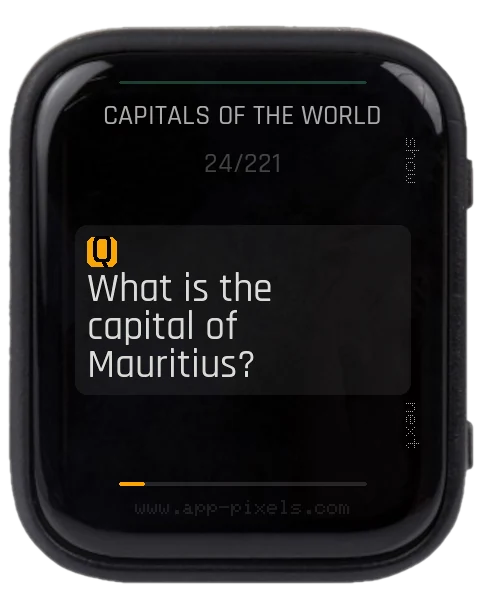
Learning flash cards — question, reveal the answer, next card. Decks are plain-text files you edit yourself; no network needed. Up to 1000 cards per deck.
Controls
- BOOT — reveal answer / next card
- PWR — skip card / back to question
- BOOT (hold) — switch deck (when you have two or more decks)
Your decks — /setup/trivia*.txt
A card is a Q: line followed by an A: line. Lines starting with # are comments; an optional TITLE: line names the quiz (shown in the header). UTF-8, so accents and umlauts work.
TITLE: General Knowledge
Q: What is the capital of France?
A: Paris
Drop any number of trivia*.txt files in /setup/ — every one shows up in the deck menu (hold BOOT). The default deck is /setup/trivia.txt.
Ready-made decks
Copy any of these straight into /setup/ and switch between them on the device:
- General Knowledge — 167 cards
- Biology / Life Science — 169 cards
- Capitals of the World — 221 cards
- Tech Quiz — 200 cards
- Irregular Verbs — 153 cards
Generate a deck with AI
Want a deck on any topic? Paste this into your favourite AI chat (Claude, ChatGPT, Gemini …), change the topic, and save the reply as /setup/trivia_<topic>.txt:
Make a trivia deck about THE SOLAR SYSTEM as plain text.
Rules:
- First line: "TITLE: Solar System"
- Then 30 cards. Each card is exactly two lines:
  a line starting with "Q: " then the question,
  a line starting with "A: " then a short answer.
- One blank line between cards.
- No numbering, no markdown, no extra text. UTF-8.
USB mode is built in
Plug the device into a computer over USB-C and the SD card mounts as a normal drive — add or edit your trivia*.txt decks (and setup.txt) right there, then unplug. No need to flash the USB Stick app first — it is now built into Trivia.
setup.txt keys (all optional)
TRIVIA_SHUFFLE—1shuffles the deck on start (default),0keeps file order.TRIVIA_FILE— default deck path (default/setup/trivia.txt).- plus the usual
BRIGHTNESS,TIMEOUT.