App Pack 06/2026
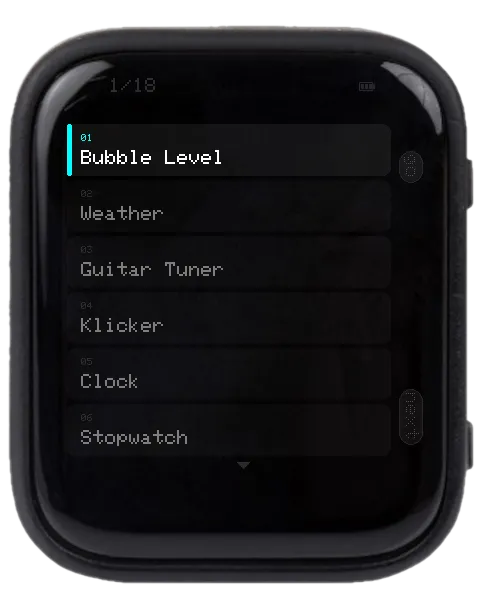
All apps live on app-pixels.com as of June 2026 in a single firmware. Browse the catalog from the device itself — handy for trying things out without flashing 20 binaries one by one.
This bundle is a deliberate exception to the "one app per device" idea behind app-pixels. It's a sampler, not for daily use — once you know what you like, flash it on its own.
Apps in this pack
01 Bubble Level · 02 Weather · 03 World Clock · 04 Guitar Tuner · 05 Klicker · 06 Clock · 07 Stopwatch · 08 Pomodoro · 09 Countdown · 10 Dice · 11 Magic 8 Ball · 12 Color Picker · 13 Recorder · 14 AI Chat · 15 AI Assistant (Claude) · 16 Filehub · 17 USB Stick · 18 1x1 Flappy · 19 DIV Flappy · 20 1x1
Controls
- PWR — next app (wraps)
- BOOT — launch the highlighted app
- Touch swipe up/down — scroll the list
- Touch tap an app — launch it directly
- Hold PWR for ~3 s inside a running app — back to the menu
The last app you launched auto-restores on boot. To stay in the menu instead, hold BOOT while powering on.
setup.txt keys (optional)
APPS_INCLUDE— show only these apps, e.g.{1,3,9,16}(1-based indices from the list above)APPS_EXCLUDE— hide these apps. Ignored ifAPPS_INCLUDEis set.
Each app's own setup.txt keys still apply (LANGUAGE, HOME_TIMEZONE, MATH_TABLES, SSID, GROQ_KEY, CLAUDE_KEY, etc.).
Editing setup.txt
The device reads /setup/setup.txt from the SD card on boot. Download a working sample — covers every app — and edit the keys you need.
Don't want to eject the card? Use the USB Stick app (mounts the SD card as a USB drive over USB-C) or the Filehub app (edit over WiFi). Both are included in this pack.