Clock
1 / 2
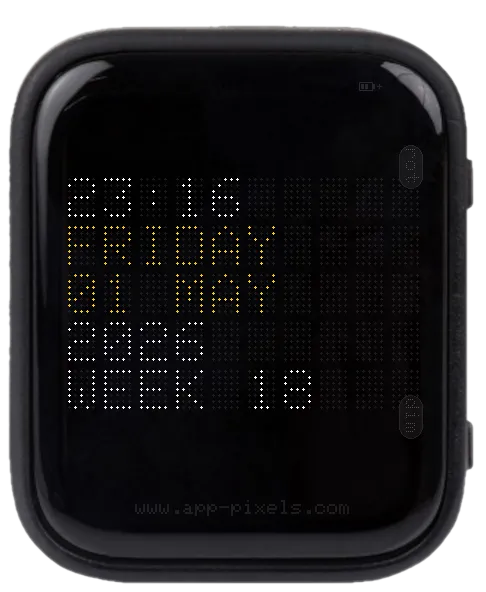
NTP-synced flip-clock display: every digit and letter is drawn as a 5×7 LED dot matrix on a black grid, mimicking the airport departure-board look (Solari Mareus split-flap successor era).
Shows time, weekday, day + month, year, and ISO week number. Auto-handles daylight saving once you set your TIMEZONE.
Controls
- BOOT — rotate display (portrait ↔ landscape)
- PWR — cycle brightness
setup.txt keys
Mandatory
SSID/PASSWORD— for the NTP syncTIMEZONE— POSIX TZ string (e.g.CET-1CEST,M3.5.0,M10.5.0/3for Vienna)
Optional
SSID2/PASSWORD2,SSID3/PASSWORD3— WiFi fallbacksCLOCK_COLOR— RGB888 hex, e.g.#FE6000for amber. Default white.
Editing setup.txt
The device reads /setup/setup.txt from the SD card on boot. Download a working sample — covers every app — and edit the keys you need.
Don't want to eject the card? Use the USB Stick app (mounts the SD card as a USB drive over USB-C) or the Filehub app (edit over WiFi).
Supported Devices
Waveshare ESP32-S3 1.8" AMOLED Touch
Tags
#time#wifi