AI Assistant (Claude)
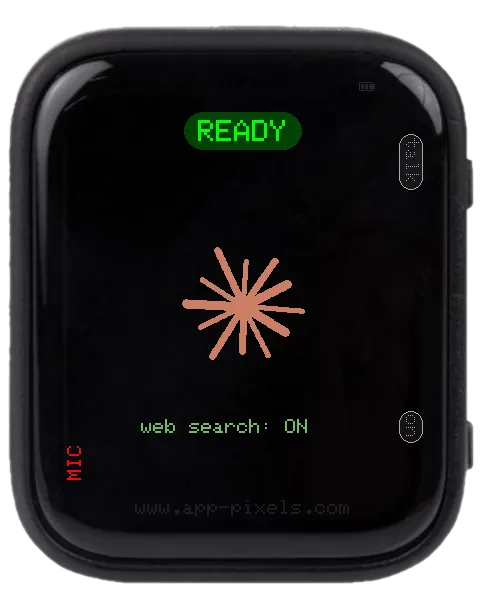
Voice-to-text assistant that uses Anthropic Claude (Haiku 4.5) for the reply and Groq Whisper for speech-to-text. Hold BOOT to speak; release to get an answer.
Sibling to AI Chat (free — groq) — same UI, same controls. The Claude variant uses a more capable model and can call device + web tools to give grounded answers (battery, time, weather, notes, web search) instead of guessing.
Cost. About $0.001 per question for plain Q&A. Tool round-trips roughly double the cost; web search is the expensive one — a single search call adds ~$0.01. Anthropic lets you cap monthly spend (see step 3 below).
Tools the assistant can call
- Device state — get time, battery, uptime, WiFi signal, orientation
- Device control — set brightness, play beep, restart, power off
- Weather — current conditions for
LOCATION_1(no API key needed) - Notes — save / list notes on SD card (
/notes/YYYY-MM-DD.txt) - Web search — Anthropic-hosted; toggled with PWR on the splash
setup.txt keys
Mandatory
SSID/PASSWORD— WiFiCLAUDE_KEY— Anthropic API key (starts withsk-ant-api…) — chat replyGROQ_KEY— Groq API key (free at groq.com) — speech-to-text only
Optional
LANGUAGE— ISO-639-1 hint for Whisper (de,en, …). Omit for auto-detect.TIMEZONE— POSIX TZ string for the time tool (e.g.CET-1CEST,M3.5.0,M10.5.0/3). Defaults to UTC.LOCATION_1— city name for theget_weathertool (geocoded on first use).CLAUDE_WEBSEARCH—0/off/no/falsedisables web search by default. Anything else (incl. missing) leaves it on.CLAUDE_MODEL— which Claude model answers. Defaultclaude-haiku-4-5. Useclaude-sonnet-5(~2x the cost) orclaude-opus-5(~5x) for harder questions.GROQ_STT_MODEL— which model transcribes your voice. Defaultwhisper-large-v3-turbo.
How to get a Claude API key (2 minutes)
- Go to console.anthropic.com.
- Sign in (or sign up — any email works).
- Billing → Add payment method, then set a monthly spend cap of $5. More than enough for casual home use with Haiku.
- Settings → API Keys → Create Key. Name it something like
esp32-app-pixelsso you can rotate it later. Copy the key — it starts withsk-ant-api…. - Paste it into
/setup/setup.txton the SD card as:CLAUDE_KEY = sk-ant-api03-xxxxxxxx...
Note. A Claude Pro / Max subscription does not give you API access — they're billed separately. The API account is its own thing at the console URL above.
Controls
- BOOT (hold) — talk; release to send.
- BOOT (tap) — scroll long answers half a page; tap past the bottom returns to the top.
- PWR (short) — on the splash: toggle web search on/off. After the first reply: start a new conversation.
Editing setup.txt
The device reads /setup/setup.txt from the SD card on boot. Download a working sample — covers every app — and edit the keys you need.
Don't want to eject the card? Use the USB Stick app (mounts the SD card as a USB drive over USB-C) or the Filehub app (edit over WiFi).